You change a price on Friday afternoon and refresh your own browser. The new number is there. Then a customer sends a screenshot with last week's price. Most of the time the customer is not wrong. Their machine is still holding an older HTML file.
On a static site, a content change is a release. From the moment you finish editing to the moment every visitor sees the new price is normally one to five minutes. If the release is bad, going back to the previous version takes under five minutes, provided you published in the right order and kept the last version.
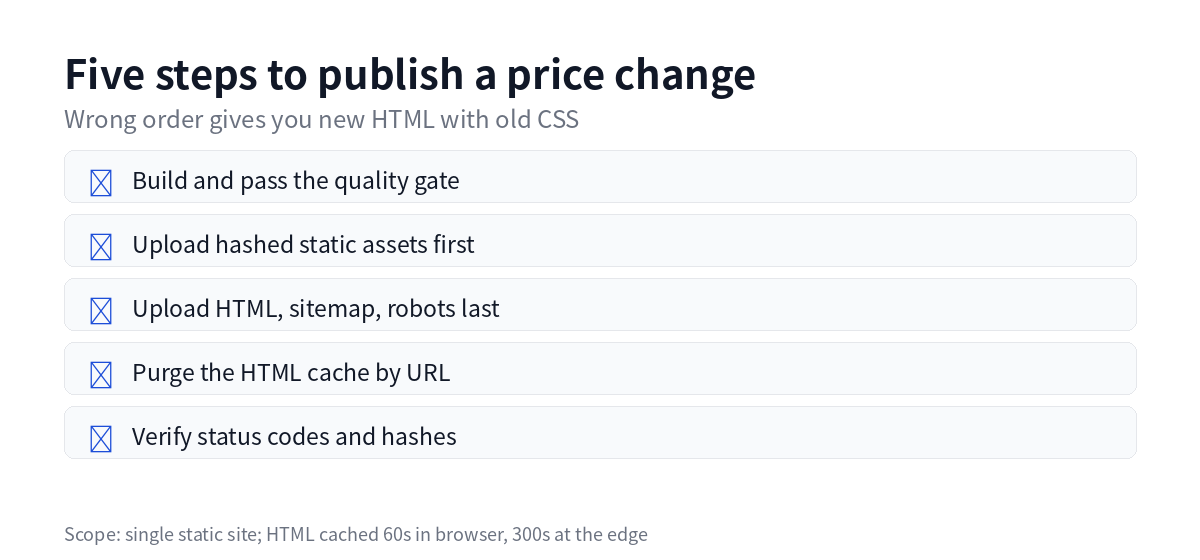
There is no save button on a static site
A static site holds build output: HTML, CSS, JS, images and fonts. No PHP, no database, no write path. That is why it is cheap and fast, and why moving hosts is just a re-upload. The trade-off is that there is no "Save" button in an admin panel.
Changing one price actually means: edit the source data, rebuild the site or the page, upload the new output, purge the cache. The HTML on the server is replaced as a whole, and the previous version stays in the release directory.
Test: what "published" means. The sha256 of the live homepage matches the hash recorded for that release. If it does not match, the release is still running or it went wrong.
The order of a release
| Step | Action | What goes wrong if skipped or reordered |
|---|---|---|
| 1 | Build and pass the quality gate | If the build fails, stop. The live version is untouched |
| 2 | Upload static assets first | Asset filenames contain a content hash, so this is safe |
| 3 | Upload HTML, sitemap and robots last | HTML is the only public switch |
| 4 | Purge the HTML cache for that site | Without it, visitors may see the old page for up to 5 minutes |
| 5 | Verify status codes and hashes | Otherwise the customer tells you first |
Steps 2 and 3 cannot swap. New HTML usually references new CSS and JS. If HTML goes up before the assets, visitors get new markup with old styles for a few dozen seconds. Layout breaks, and in bad cases the page goes blank.
Assets are named by content hash, for example main.7f3a2c.css. Change the content and the filename changes, which is why they can be cached for a year without ever serving the wrong version.
Two cache layers, two clocks
HTML is cached in two places: 60 seconds in the browser, 300 seconds at the edge. That is where the "up to five minutes" comes from.
Purge by file. List the homepage and the pages you changed. A full purge works too, but every edge node fetches from origin again, and you pay for requests you did not need.
Assets do not need a purge. A new filename is a new file, and the old one falls out of use on its own.
One detail: after a purge, your own browser may still hold the old page for 60 seconds. Verify with curl, not with the tab you just refreshed.
When a release goes wrong
Rollback assumes the previous version still exists. The local release directory keeps the current and previous versions. The object storage archive keeps two as well. More versions cost more storage, and two are enough for the "just shipped a mistake" case.
Five steps:
- Mark the site as paused in the ledger, so a new release does not land mid-rollback
- Find the previous release directory, sort by timestamp, take the second to last
- Re-upload, assets first and HTML last
- Purge the HTML cache and wait 60 seconds
- Check for 200 and a hash that matches the release record, then unpause
The target is under five minutes. The slow part is step 2: if the previous version is not on the local machine, you pull it back from the archive.
Three things not to do: do not delete the live files and wait for a 404; do not edit HTML on the server; do not delete the bad version after rolling back. It is your evidence.
When this process does not fit
If the price changes several times a day, or different customers see different prices, a static site is the wrong tool. Rebuilding and purging on every change will wear you down. Put prices behind an API and fetch them at page load. The static page can carry a public range.
For changes that must be immediate, such as a recall, a regulatory notice or a serious error, do not wait for the cache to expire. Purge, then verify node by node.
There is also the team problem. If nobody on the content side wants to touch git and a terminal, do not build your own static pipeline. Pay for a platform with an admin panel and buy back the complexity with a monthly fee.
Pre-release checklist
- ☐ The build passed the quality gate with no errors
- ☐ You listed the pages this release changes
- ☐ Assets uploaded first, HTML last
- ☐ Cache purged by file, not just a hard refresh in your own browser
- ☐
curlreturns 200 and the homepage hash matches the release record - ☐ Three inner pages checked for price and copy
- ☐ The previous version is still available for rollback
FAQ
How long does a price change take to appear? Normally one to five minutes. Browser cache is 60 seconds, edge cache is 300 seconds. After a purge, expect the lower end.
Can I edit the price in an admin panel? Not on a static site. Content changes require a rebuild and a release. If you need an admin panel, use WordPress or a hosted site builder.
How fast is a rollback? Under five minutes if the previous release is on the local machine. If it has to come back from archive storage, it depends on the size and your connection.
Are two versions enough? For "we just shipped a mistake", yes. To go back two weeks, use the daily backup. More versions mean more storage; decide by how often you actually roll back.
Why does the customer see a different price than I do? Their cache expires at a different time. A hard refresh fixes one machine. Purging the edge cache fixes it for everyone.
Last updated: 2026-10-19